 Mó paz
Blocked
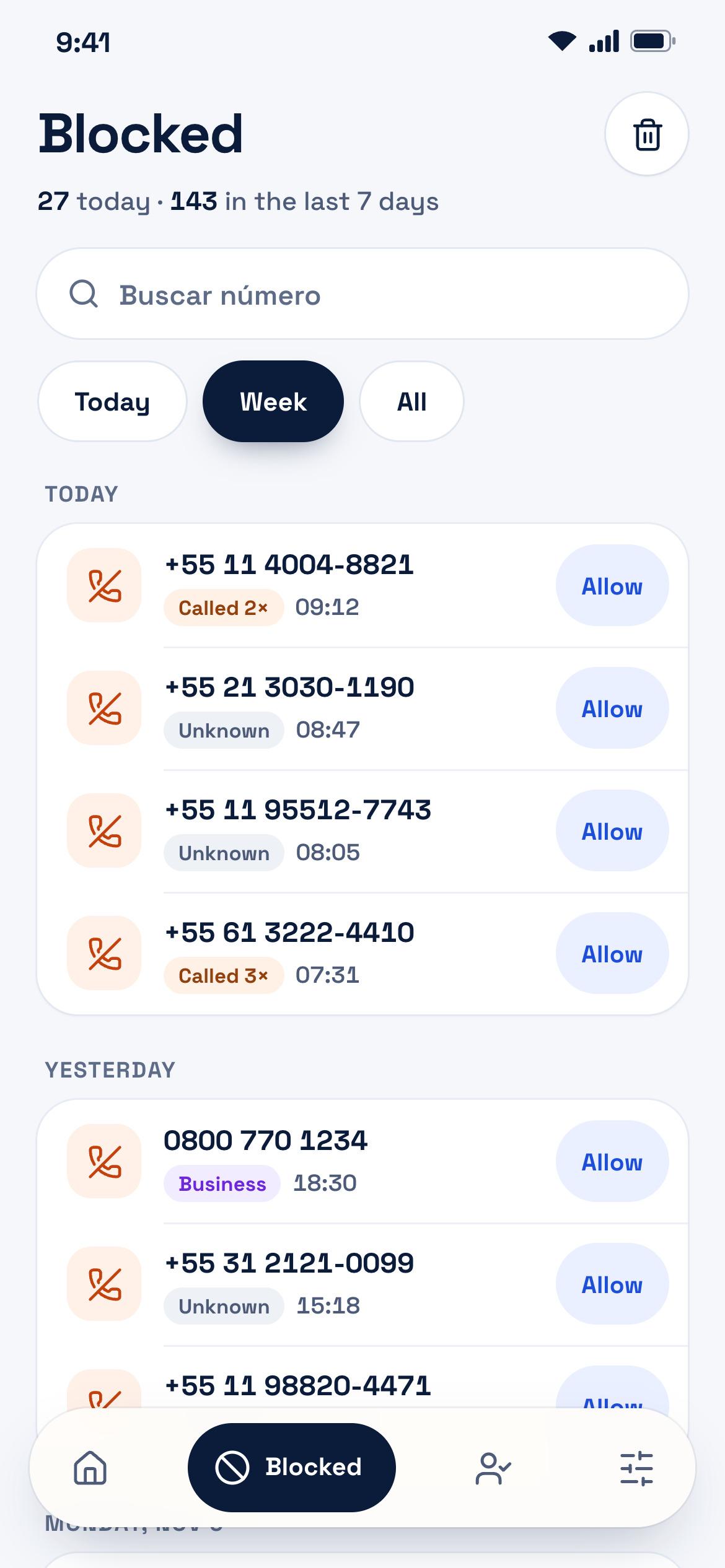
See everything that was stopped
Every declined call stays in the log with the number, time, and reason: not in contacts, hidden number, or night mode. Filter by today, 7 days, or all.
Call, SMS & voicemail blocker
Mó paz declines calls from numbers outside your contacts. Anyone who needs to reach you, you allow. Everything else never even rings.
5.0Google Play rating · Read reviews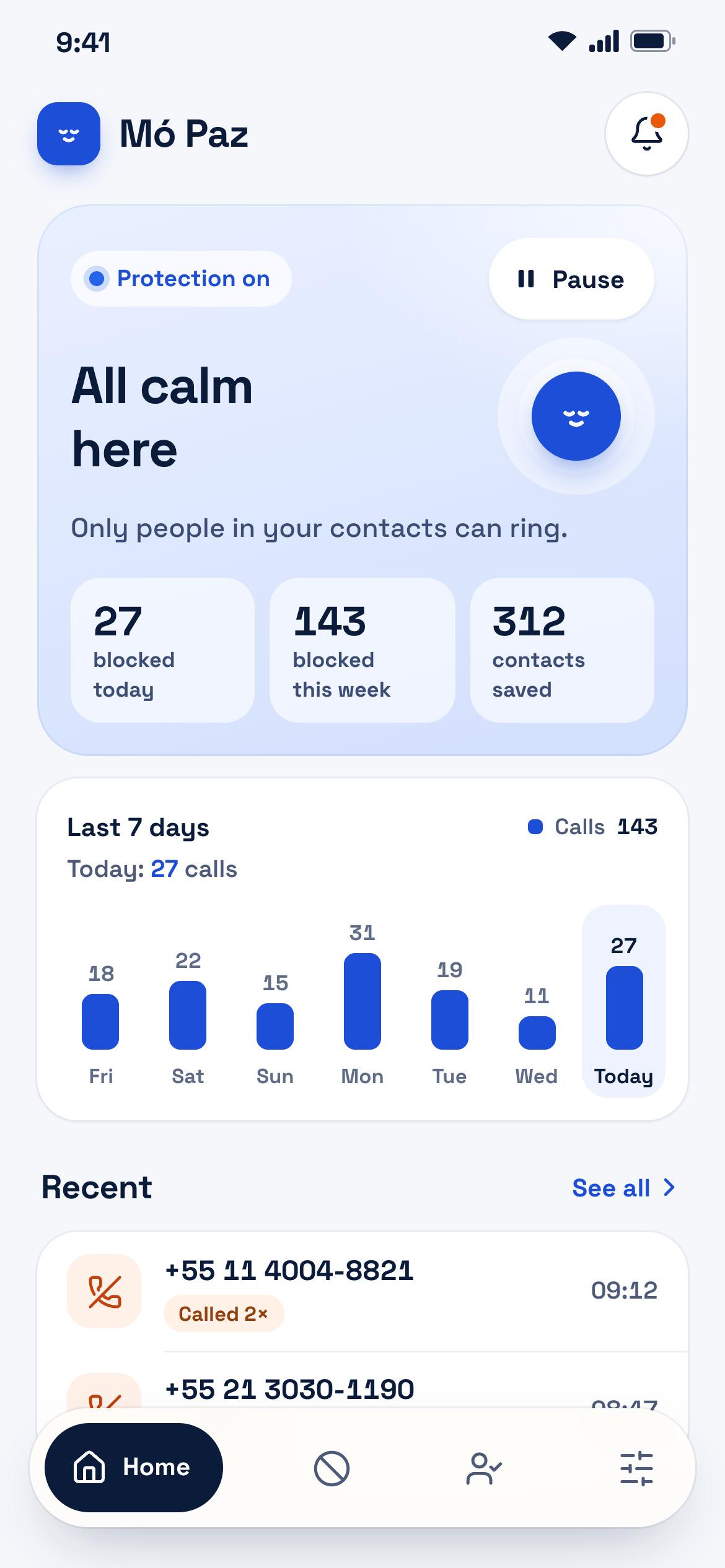
How it works
Set Mó paz as your caller ID and spam app, let it read your contacts so it knows who you know, and allow notifications.
The call is declined silently before ringing and saved in the blocked log with date, time, and reason.
Delivery driver, clinic, your kids' school… allow the number straight from the blocked list so it rings normally.
Features
Everything Mó paz does fits into four clean tabs: Home, Blocked, Exceptions, and Settings.
Blocked
Every declined call stays in the log with the number, time, and reason: not in contacts, hidden number, or night mode. Filter by today, 7 days, or all.
Exceptions
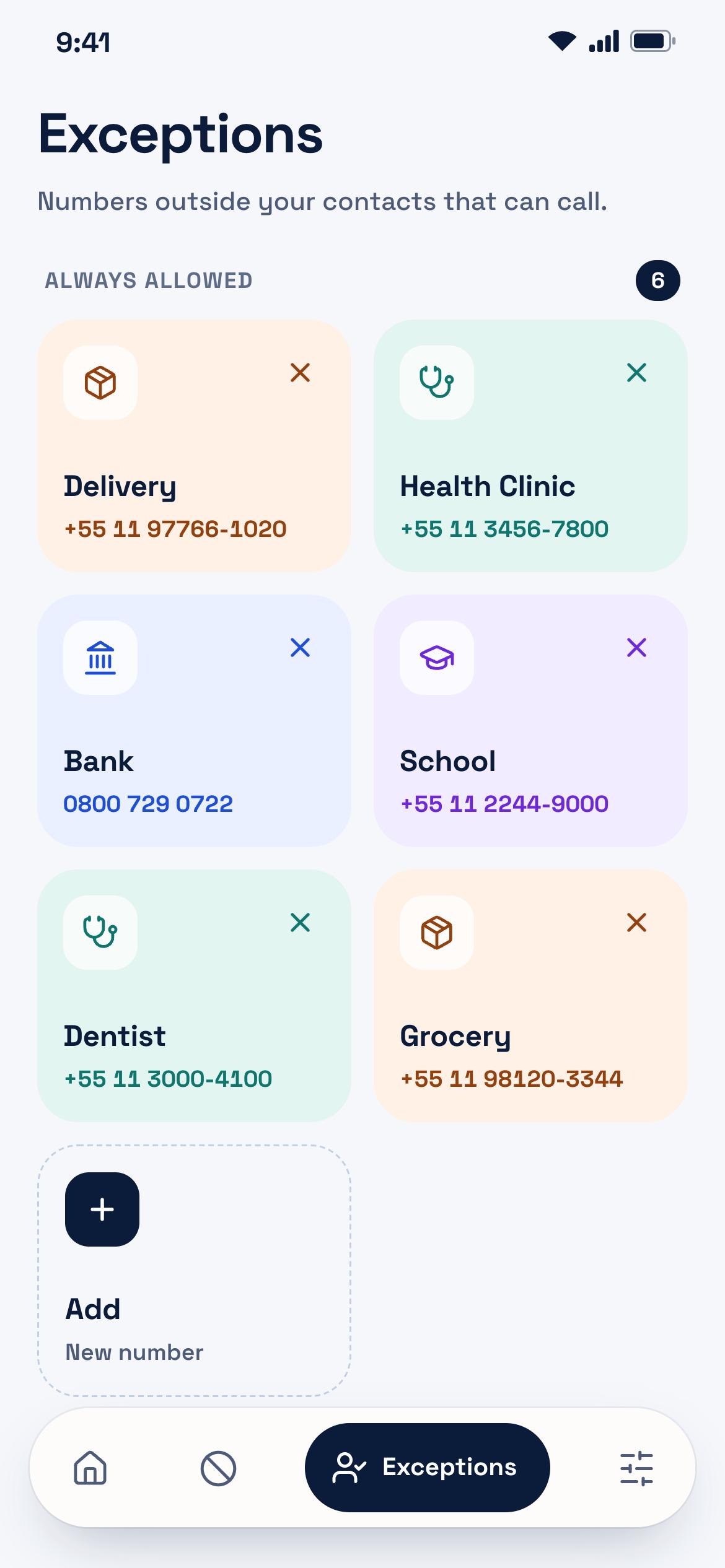
Add a number with a name and it rings normally, even if it isn't in your contacts. You can also allow directly from the blocked log.
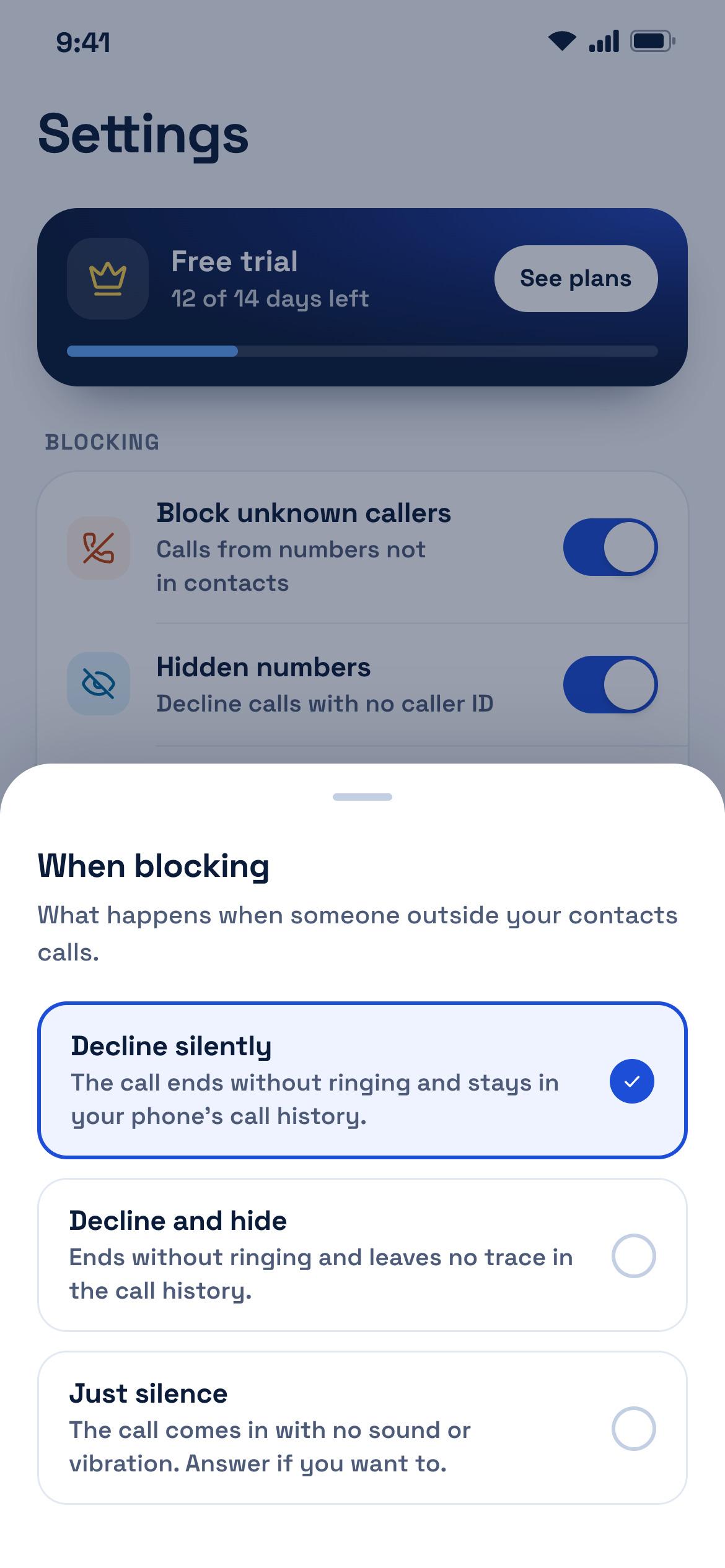
When blocking
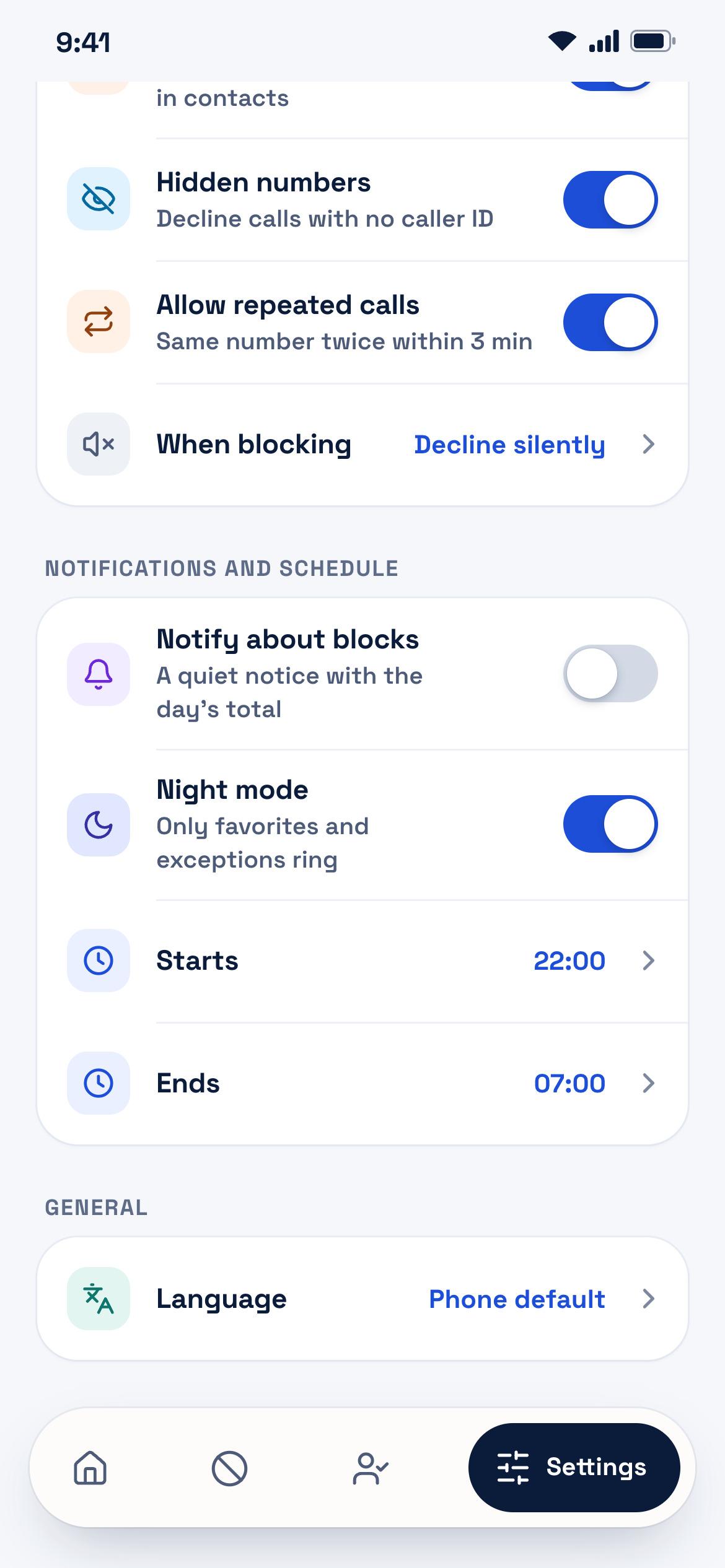
Decline silently, decline and hide from call history, or just silence: the call arrives with no sound or vibration and you answer if you want.
Night mode
Pick the hours when only favorites and allowed exceptions can ring. Outside that window, normal rules apply.
Summary
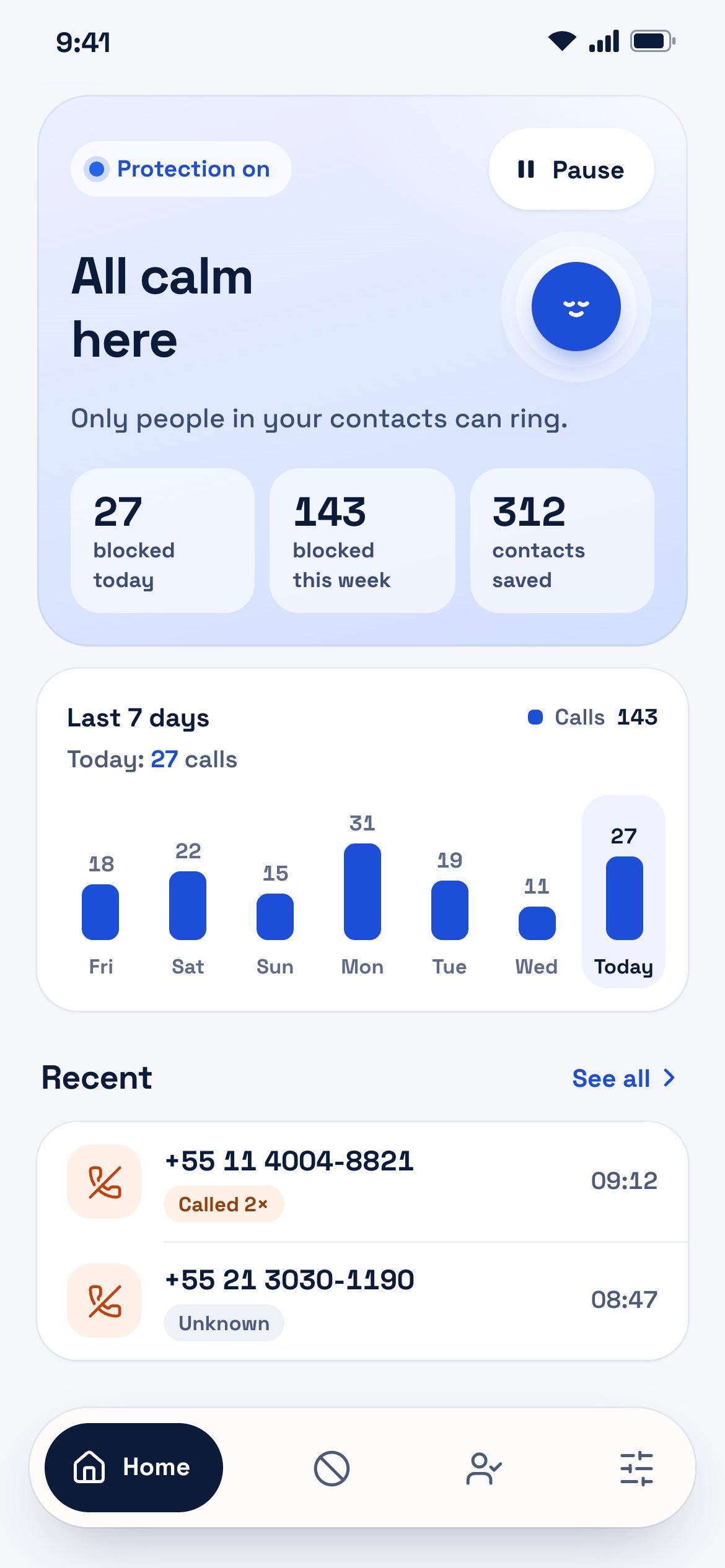
The home screen shows how many calls were stopped today and across the week. Capi celebrates with you.
Decline calls with no caller ID using a single toggle.
If the same number calls twice within 3 minutes, Mó paz lets it ring in case of an emergency.
Optional notification whenever a call is declined, only if you want it.
The protection toggle lives right on the home screen — no digging through menus.
Privacy
Mó paz only needs to know who is in your contacts — nothing else. No account, and no contacts ever leave your device.
Reviews
What people who already rely on Mó paz every day say about stopping unwanted calls.
“First day testing the app and I really liked it. I used to get so many unwanted calls and this app saved me — I hope it stays like this. ☺️”
“Excellent app! I'm very happy with the experience. It is practical, efficient, and easy to use, making day-to-day life so much easier. Congrats to the developer for the great work! Recommended to everyone!”
“Very good, awesome! Best call-blocking app.”
“Amazing app ❤️✨”
Plans
No card needed to test. Afterward, choose how you want to pay through Google Play.
Renews monthly. Cancel anytime.
Two months free compared to monthly.
Pay once and use it forever.
Billed through Google Play; the final local-currency price is shown in the store. Cancel subscriptions anytime directly in Google Play. Without an active plan after the trial, call screening lets all calls ring.
Calls from numbers not in your contacts. You can also decline hidden numbers and enable night mode so only favorites and allowed exceptions ring.
Allow the number straight from the blocked list, or add it ahead of time in Exceptions. If the same number calls twice within 3 minutes, Mó paz lets it ring.
Contacts are read only on your phone to recognize people you know. Blocked history and exceptions also stay on your device. Full details are in the privacy policy.
The first 14 days are free, with no card required. After that, pick the monthly, yearly, or lifetime plan via Google Play. Exact local pricing appears in the store.
The app locks on the plans screen and stops blocking calls until you subscribe.
It works on Android 10 or newer. Mó paz uses Android's built-in call screening role, so it needs to be chosen as your caller ID and spam app.
Mó paz
Download on Google Play and start your 14-day free trial with no card required.